
Connection Manager
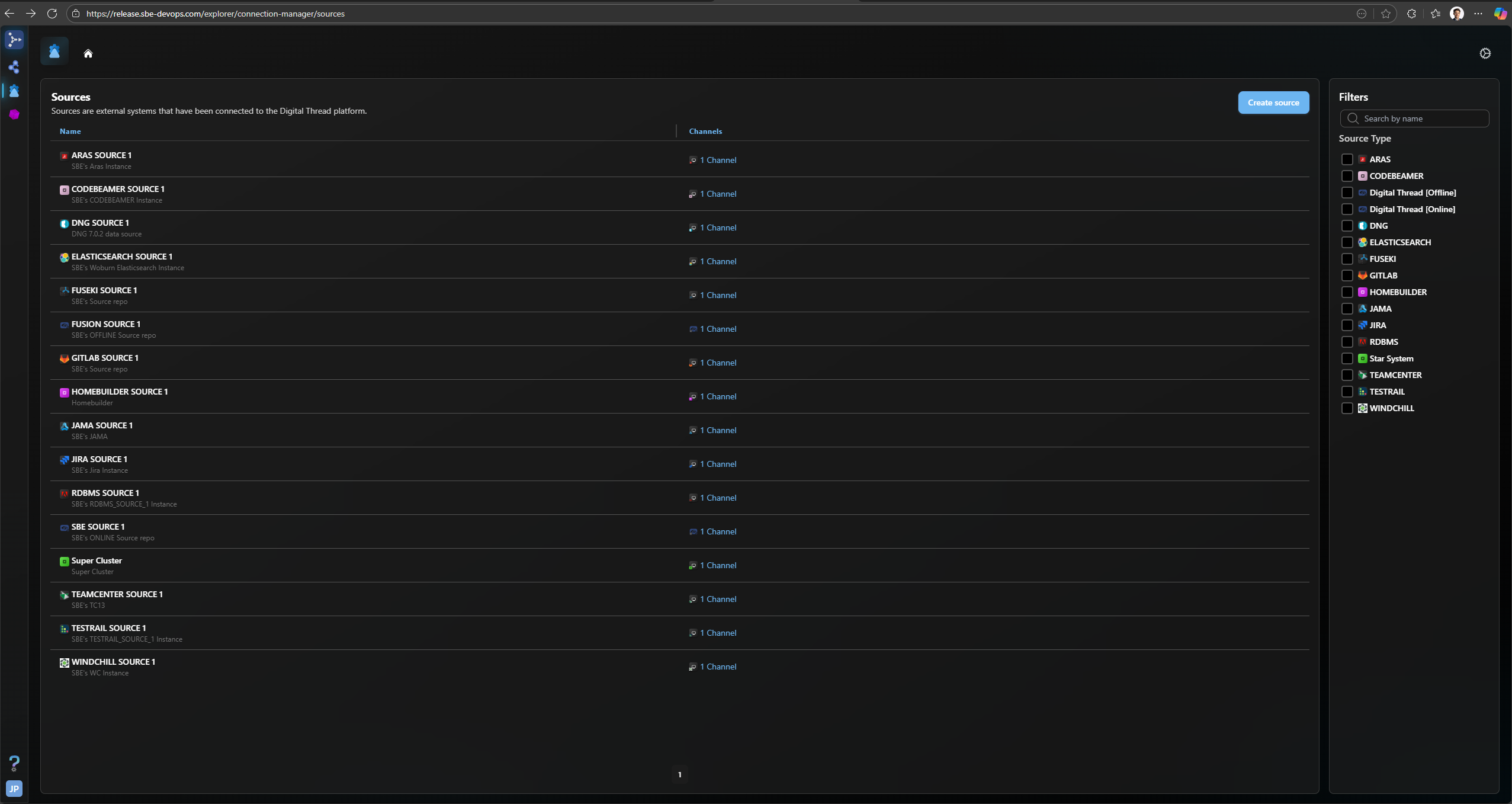
The connection manager application allows end users to create and manage connections to their digital tools with a proprietary graphical user interface. The page stars with a list of existing data sources, each one corresponding to an instance of a digital tool they’ve attached to the SBE Digital Thread, while the “Create Source” button prompts the end user to create an additional configuration for a data source corresponding to a new digital tool instance that they wish to work with. To create a new source, that source type must first already exist in the SBE Vision Platform’s database, and if it does not, the new data source type can be created by a platform administrator. The connection manager homepage below with all sources displayed can be accessed at the following URLs, which will automatically fill out the “sources” portion.
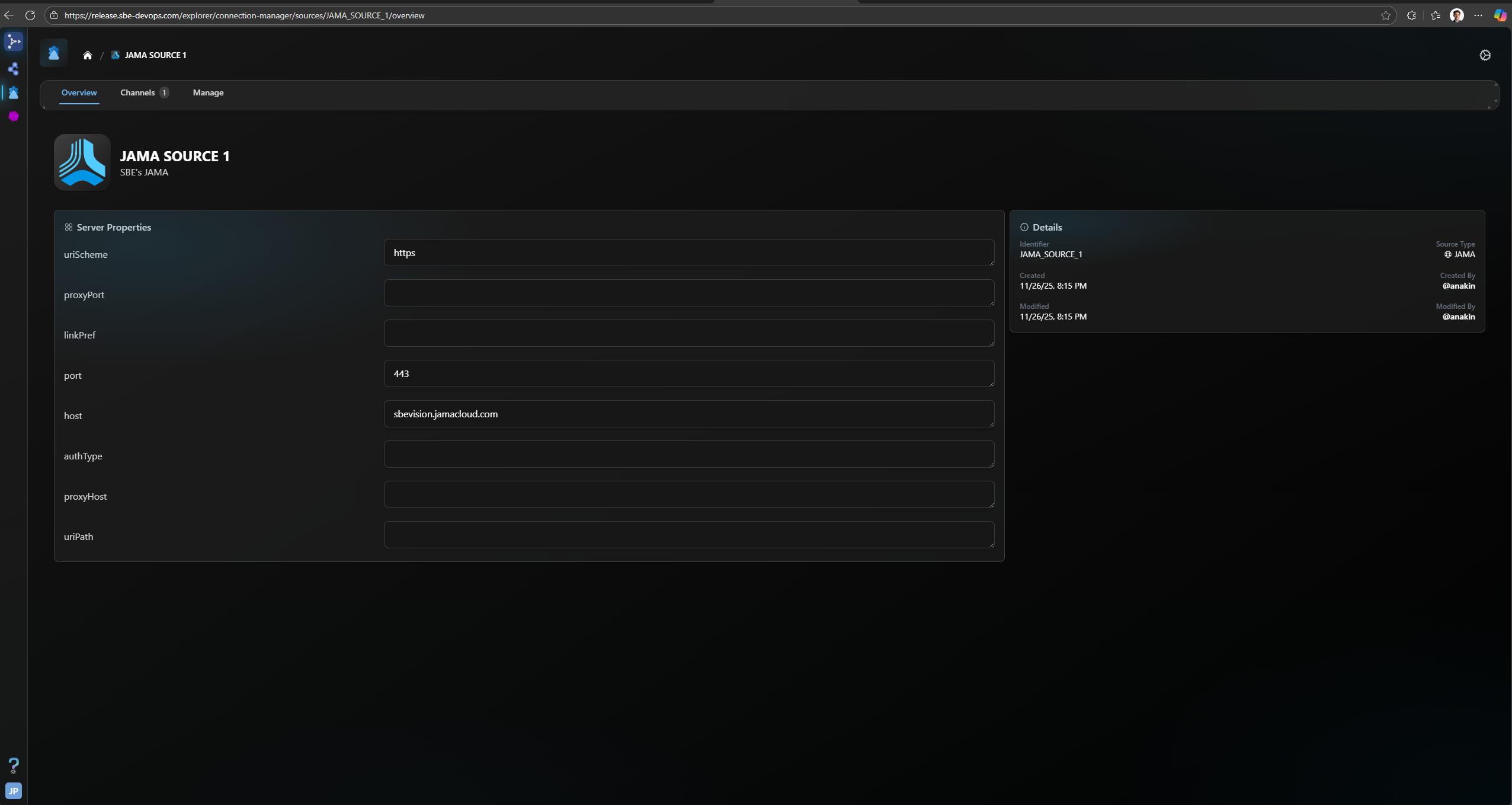
Additionally, end users can select a data source to interact with, by clicking on a data source such as JAMA SOURCE 1. Here, you can see the specific properties and their values needed to connect to this external data source. You can also edit them as needed based on how these attributes may change on the digital tool’s side over time. The URL for a specific data source like JAMA SOURCE 1 (which is actually called JAMA_SOURCE_1 with underscores within the database, but is cleaned up in the UI for readability) looks like the one below, where we append “JAMA_SOURCE_1/overview” after the root page’s “connection-manager/sources/”, which allows end users to easily see where a link will take them when talking about the ones that exist within the SBE Digital Thread Hub connection manager UI.
https://release.sbe-devops.com/explorer/connection-manager/sources/JAMA_SOURCE_1/overview
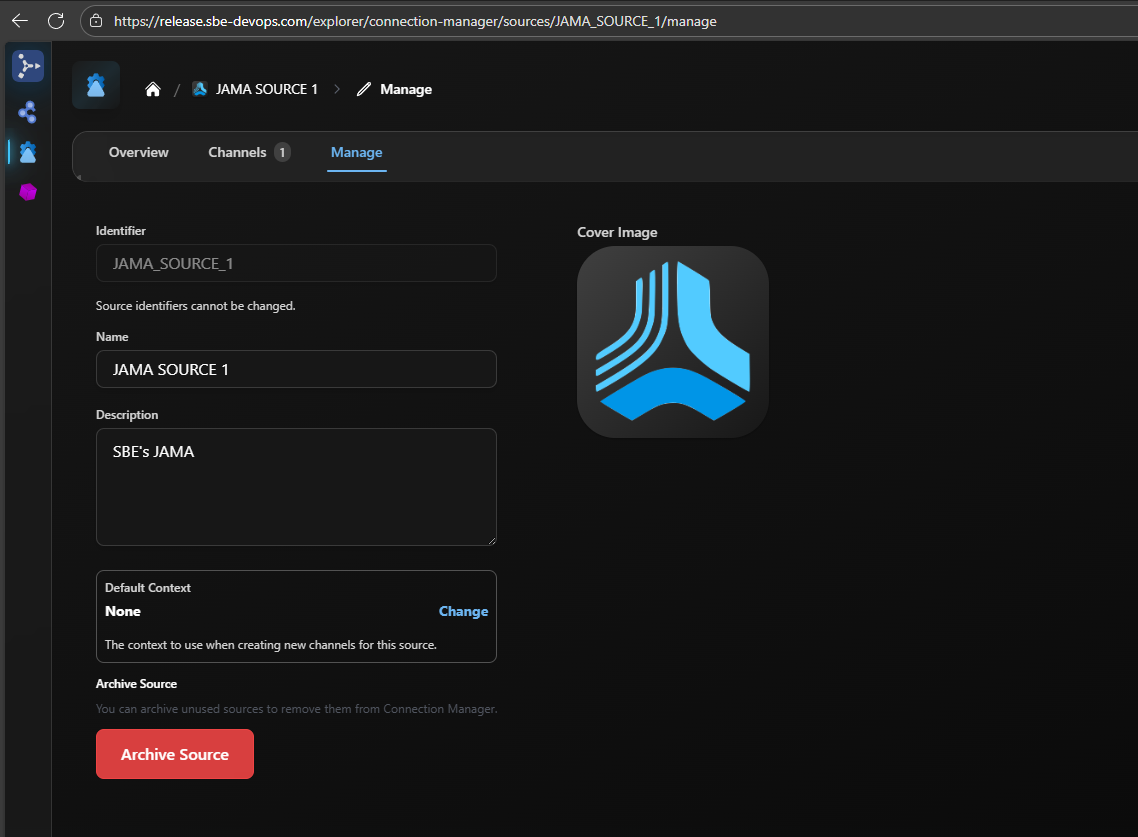
If you click on the “Manage” tab, you can make certain administrator-level tweaks to the data source itself, archive it, change its context, or change its display name. The page looks as pictured below, and will also have a URL similar to the previous one, but with “manage” instead of “overview” at the end of the hyperlink (e.g. https://release.sbe-devops.com/explorer/connection-manager/sources/JAMA_SOURCE_1/manage)
.
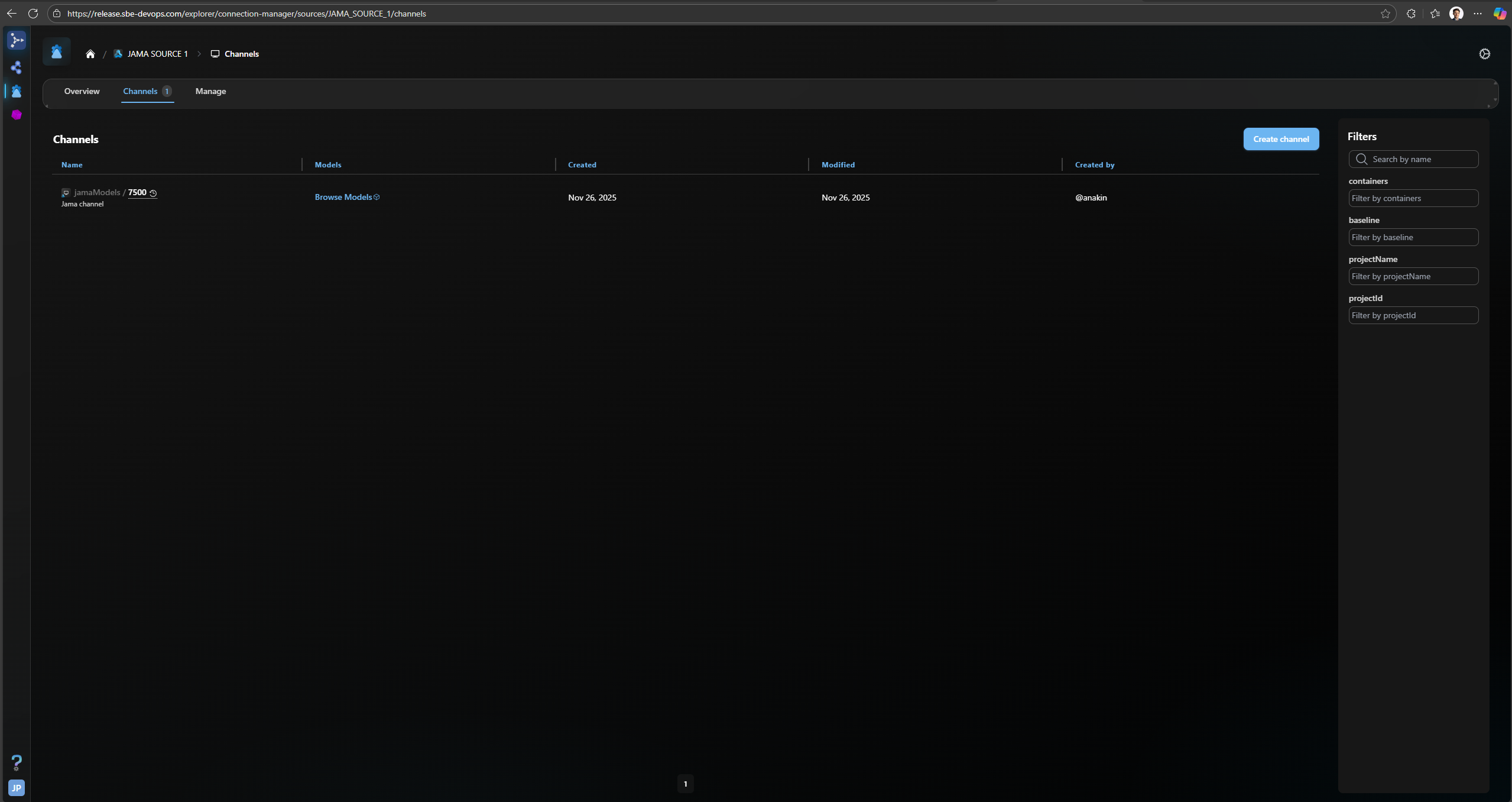
If you click on the “Channels” tab, you end up on the list of channels associated with the JAMA_SOURCE_1 data source. The page looks as pictured below and will also have a URL similar to the previous one, but with “channels” instead of “overview” at the end of the hyperlink (e.g. https://release.sbe-devops.com/explorer/connection-manager/sources/JAMA_SOURCE_1/channels). You can also create a new channel for this data source on this page with the teal “Create Channel” button, and if your list of channels is long (typically this happens in MBSE tools, like Cameo, where many different datasets need to publish independently to the SBE Digital Thread), you can use the filters and search boxes on the righthand toolbar to narrow down the list.
If you click, on a particular channel, by clicking on the series of tabs in the navbar, you will be able to manage that channel’s properties in the overview tab, perform operations against it on from inside the digital thread from the operations tab, subscribe data to this channel that originates from another data source altogether from the subscription tab, add or manage context(s) for this channel from the context tab, or manage admin-level properties of the channel itself within the manage tab. The following URLs correspond to the content on each tab as described above:
overview tab: https://release.sbe-devops.com/explorer/connection-manager/sources/JAMA_SOURCE_1/channel/7500/overview
operations tab: https://release.sbe-devops.com/explorer/connection-manager/sources/JAMA_SOURCE_1/channel/7500/operations/all
subscription tab: https://release.sbe-devops.com/explorer/connection-manager/sources/JAMA_SOURCE_1/channel/7500/subscriptions
context tab: https://release.sbe-devops.com/explorer/connection-manager/sources/JAMA_SOURCE_1/channel/7500/context
manage tab: https://release.sbe-devops.com/explorer/connection-manager/sources/JAMA_SOURCE_1/channel/7500/manage